Support
How can we help?
Answers about Lumen, pre-orders and setup. Can't find what you need? Send us a message.
About Lumen
What is Lumen?
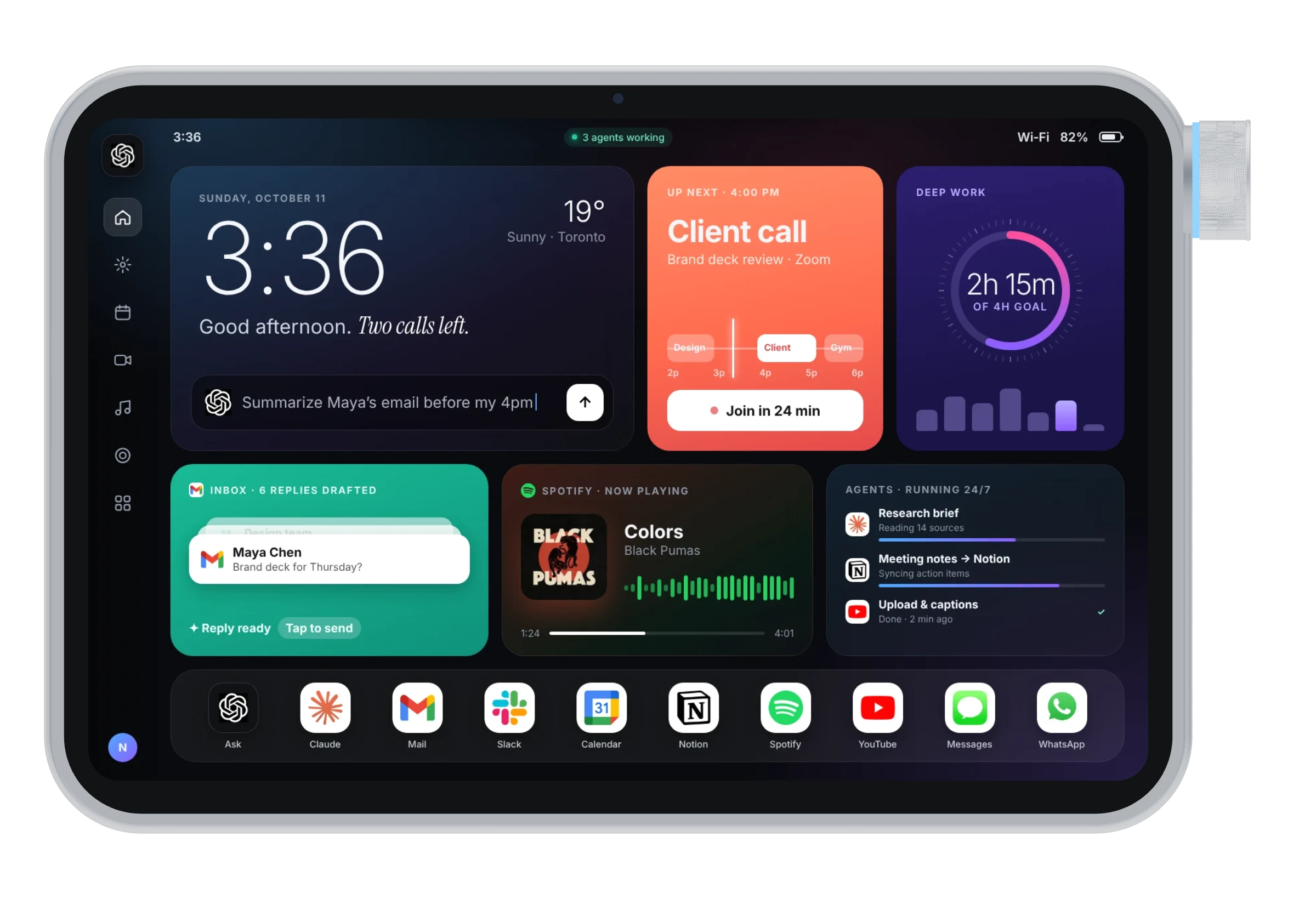
Lumen is a 6.8 mm aluminium pad with an 11.1-inch touchscreen, a knurled dial and a magnetic back. It stands beside your keyboard or snaps onto your MacBook and puts your AI, your apps and your day on one glass strip.
Which AI does it use?
Lumen is the front end for the AI tools and agents you already use on your Mac, and adds its own voice assistant. Tap the orb and talk.
What does the dial control?
Volume, brightness, timeline scrubbing, focus timers, app switching and the color of its light ring. Its light ring changes color with what it is controlling.
Can it take notes in my meetings?
Yes. Tap record and Lumen listens in the background, then turns the call into notes, decisions and action items. Always let people know you are recording.
Can I join calls from it?
Yes. Your next Zoom or Google Meet call shows up on Lumen with a Join button, plus mic, camera and call volume controls.
Can I try the interface?
Yes. Open the interactive prototype and tap through every screen.
Pre-orders
How much does Lumen cost?
$699. Pre-order it today with a $49 deposit and pay the remaining $650 when it ships.
How does the $49 deposit work?
The deposit holds your place in line. You pay the remaining $650 when Lumen ships on December 14. See the details.
Is the deposit refundable?
Yes. Cancel any time before your Lumen ships and get the full $49 back.
Are pre-orders open?
Not yet. Lumen is a product concept by Avenirr Studios, and the pre-order page is a preview. No payment is taken on this site.
Setup and Mac
How does it connect?
One USB-C cable carries power and data to your Mac, or it connects over Wi-Fi and Bluetooth on battery. A 30 W USB-C power adapter and a 1.5 m braided cable are in the box.
Does it work with Windows?
Not at launch. Lumen is built for Mac.
Which apps work with it?
Lumen is planned to work with the apps you already use, such as Spotify, ChatGPT, Claude, Notion, Slack, Gmail and Figma. App names are trademarks of their respective owners and indicate planned compatibility only.
Can I use it away from my desk?
Yes. Lumen has a battery and connects wirelessly, so it comes with you. Snap it onto your MacBook with the included MagMount, or fold out the stand on any table. Your Mac's menu bar also gets a Lumen control panel.
How does it attach to my MacBook?
MacBooks are aluminium, so magnets alone won't hold. Lumen comes with a slim MagMount that sticks to the back of your lid. The ring of magnets in Lumen's back snaps to it, beside your screen, and pulls off when you want it on its stand.
Contact
Talk to us.
Questions about Lumen, press or partnerships. Tell us what you need and we'll get back to you.